
The Platform
The operating platform your agency runs on.
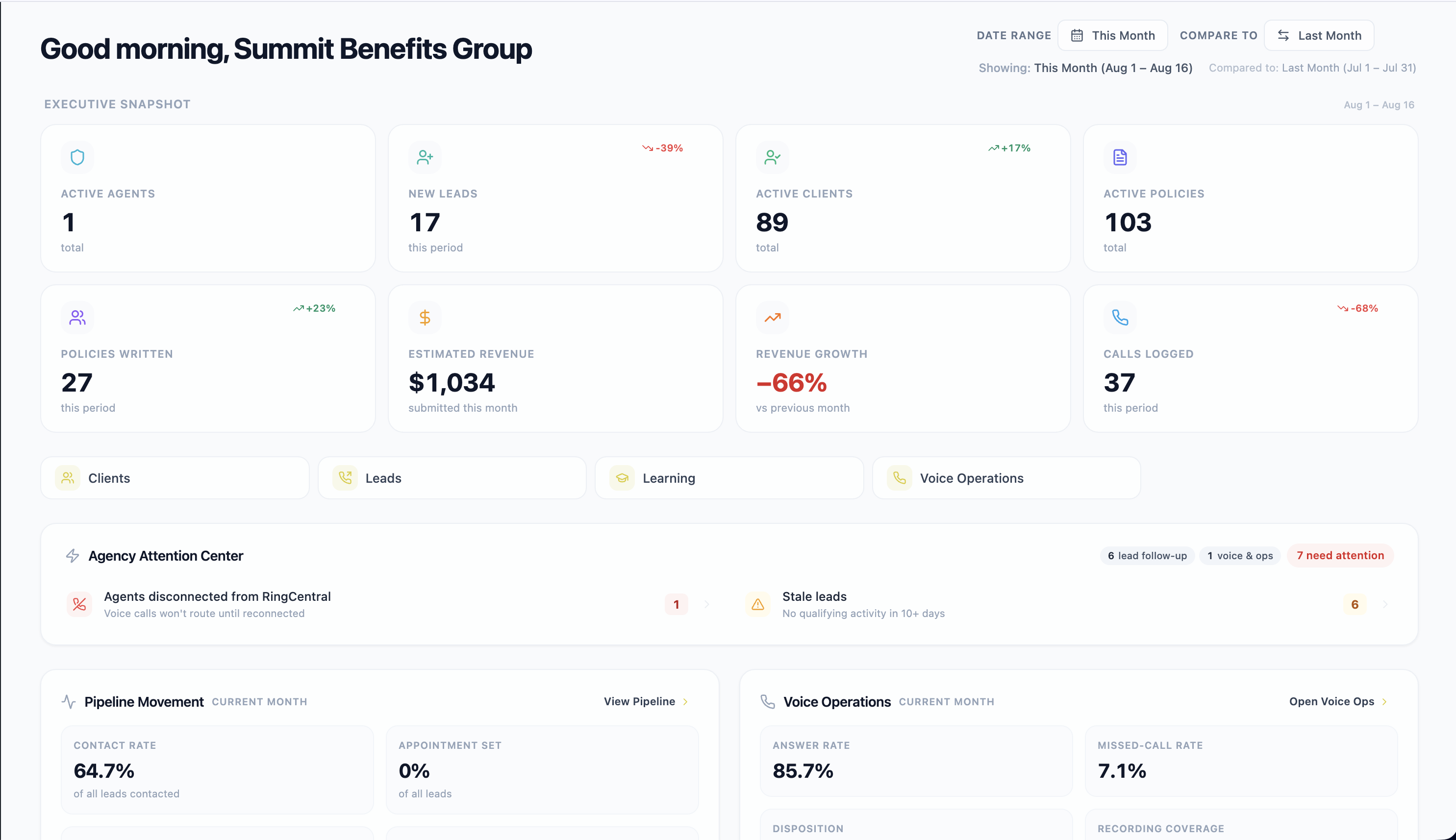
AgencyCommand connects the workflows an insurance agency already runs — moving opportunities forward, serving clients, developing the team, automating repeatable work, and understanding performance — so the work an agent does and the picture leadership sees come from the same place.
Why connected matters
One record carries the whole story.
The value isn't that these workflows live in one app. It's that each one hands real context to the next, so nothing has to be re-entered and reporting isn't a separate bookkeeping exercise.
Step 1
Opportunity
A lead arrives — imported, referred, or added — and lands on a pipeline someone owns.
Step 2
Work
Calls, follow-ups, appointments, and quotes move it forward, with every attempt recorded on the record.
Step 3
Client
On enrollment the same record becomes a client, so the history behind the sale is still there.
Step 4
Activity
Policies, service work, documents, and communication keep accumulating in one place.
Step 5
Data
That real activity — not re-entered numbers — is what production, pipeline, and revenue reporting reads.
Configuration shapes it
Your plan types, carriers, lead sources, commission rules, pipelines, and the agency's Work Queue rules define how each step behaves.
AI and Automations carry it
CommandAI helps people think through the record in front of them, while configured automations send the routine client email you defined.
Explore the product
Five families of work. Ten places to look.
Start wherever your agency feels the most friction — each workflow explains the part of the day it belongs to.
Find & Convert
Bring opportunities in and move them toward enrollment.
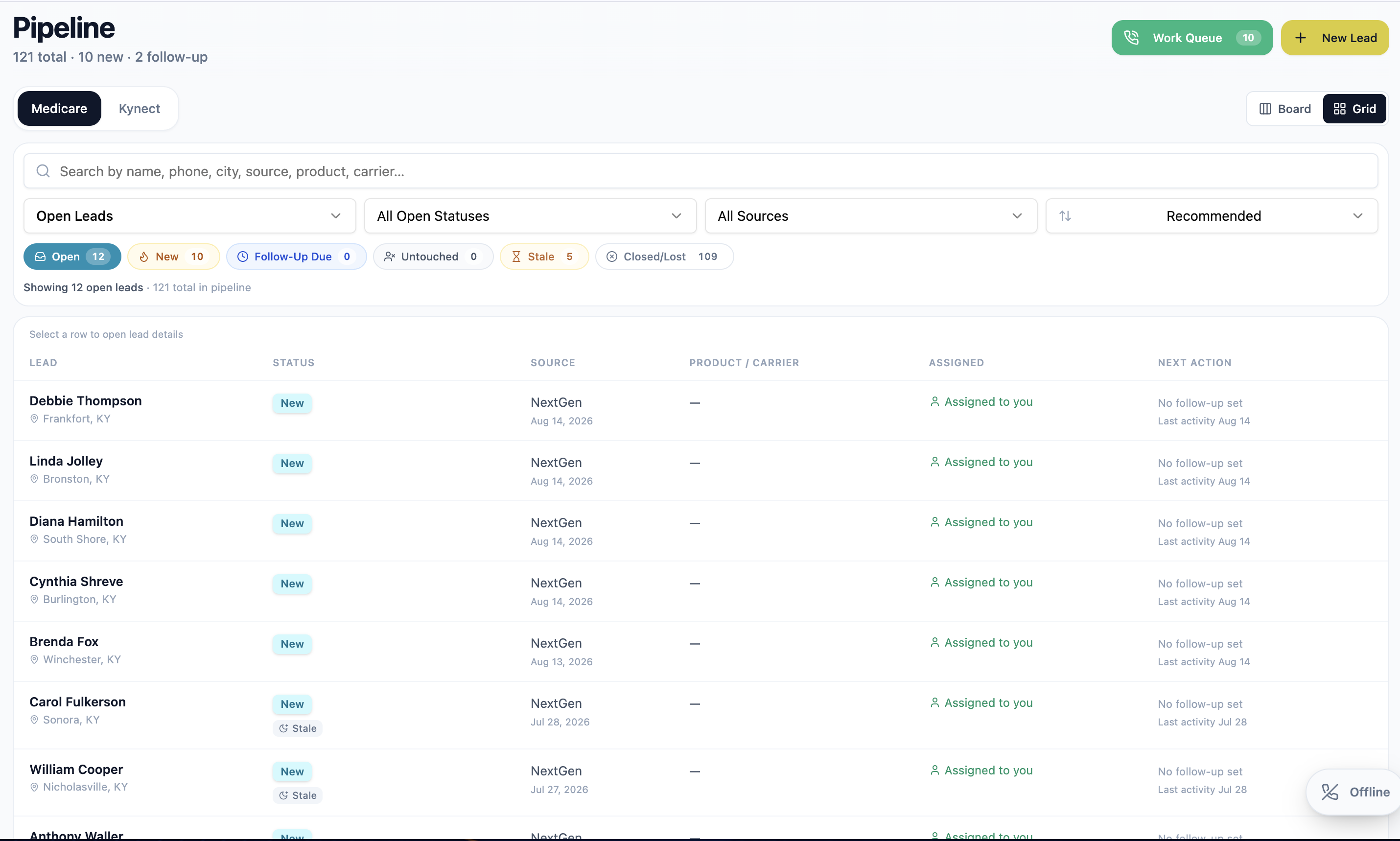
Leads arrive by import or manual entry and land in a Pipeline someone owns. Agents work them through the same set of stages, so a manager can tell at a glance where an opportunity actually stands — and agency email reaches the audience you meant to reach, filtered by the sources, products, and carriers your agency defined.
Manage & Serve
Keep serving the client after the sale closes.
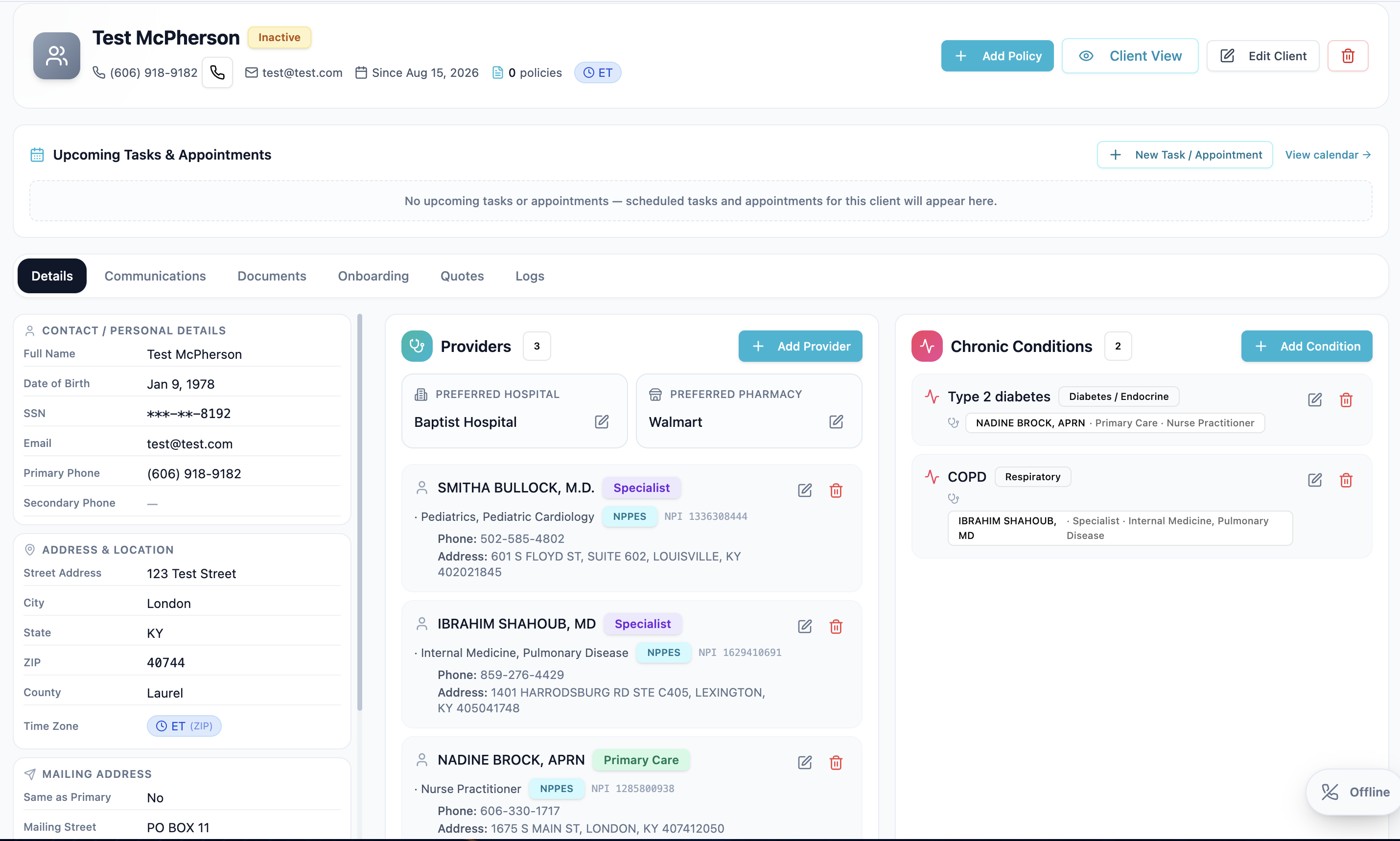
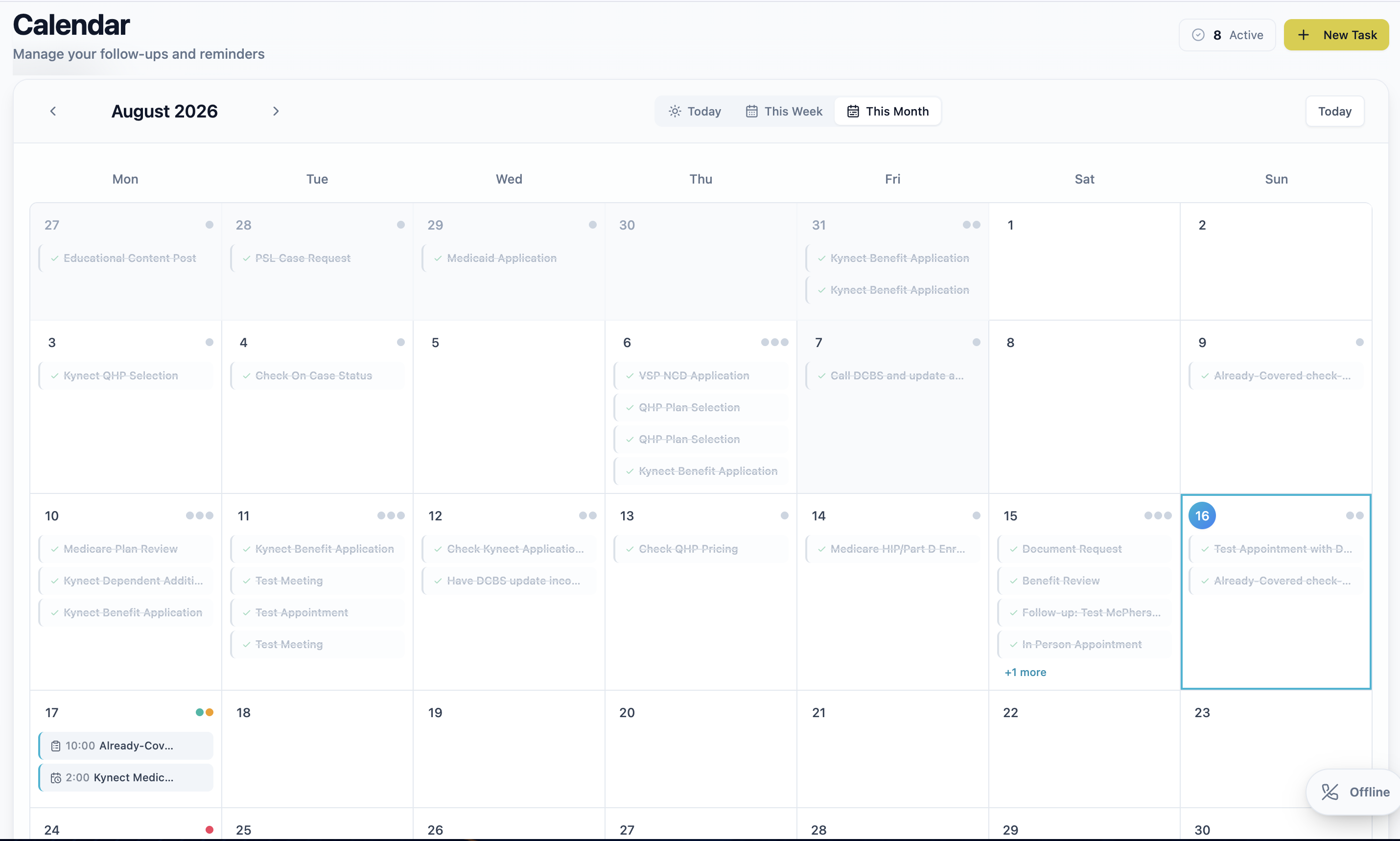
An enrolled lead becomes a client on the same record, so coverage, documents, notes, and communication stay with the person they belong to — and the tasks and appointments that service work generates stay on the calendar the agent already works from.
The client record
The work it creates
Develop & Automate
Raise the floor on skill, and stop retyping routine email.
Learning Paths give the agency one curriculum it can assign and track instead of hoping training happened. CommandAI is generative assistance beside the record an agent is working. Automations are different on purpose: configured, deterministic email you define once and can prove was sent.
Understand & Configure
Configure the operating model, then measure what happens inside it.
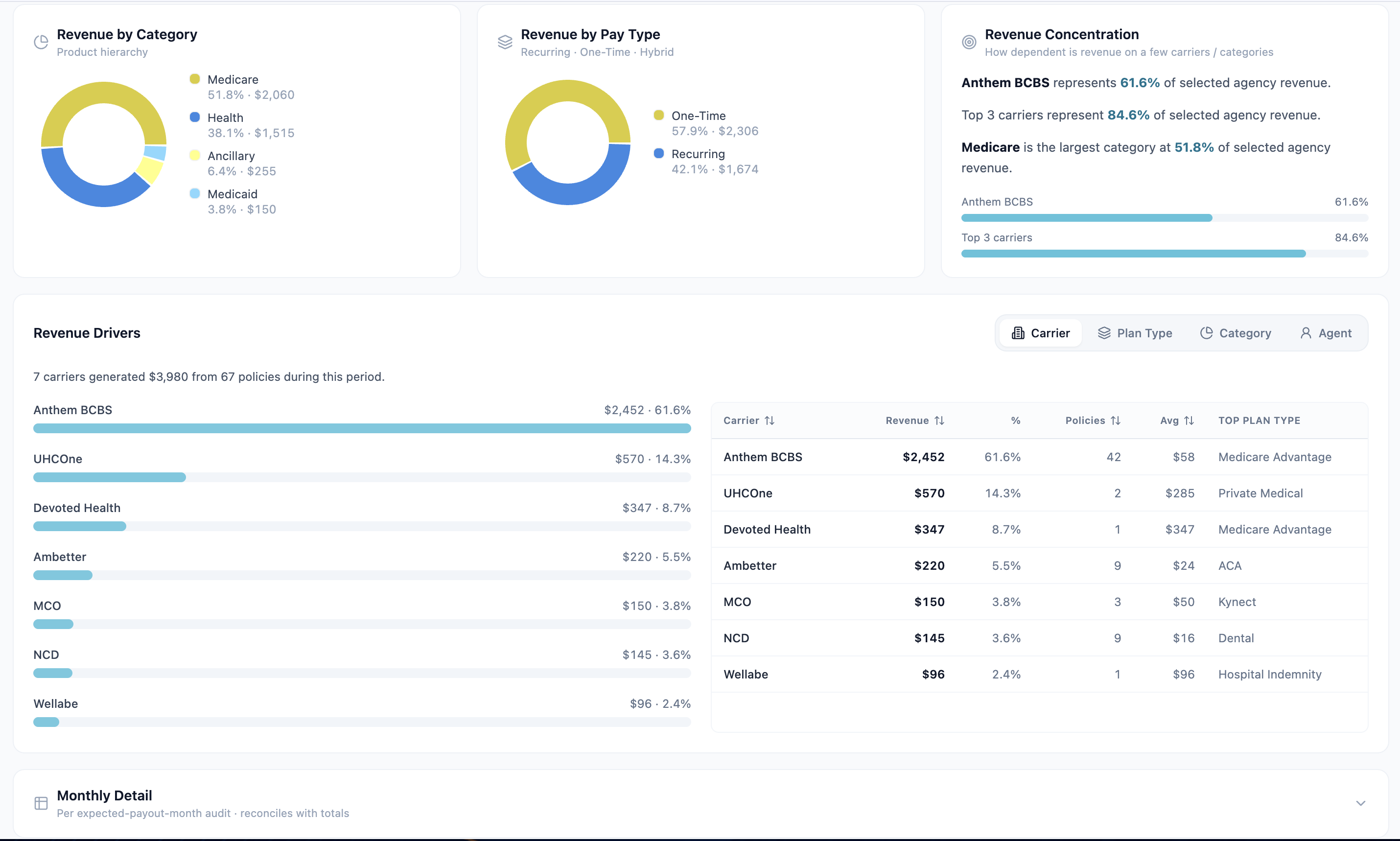
These two belong together: configuration decides how the work behaves, and reporting reads what that work produced. Because production, commission, and revenue views are built on your own plan types, carriers, lead sources, commission rules, and expected payout timing, the numbers use your agency's vocabulary instead of generic categories.
Extend AgencyCommand
Add capability when you need it. Connect the tools you already use.
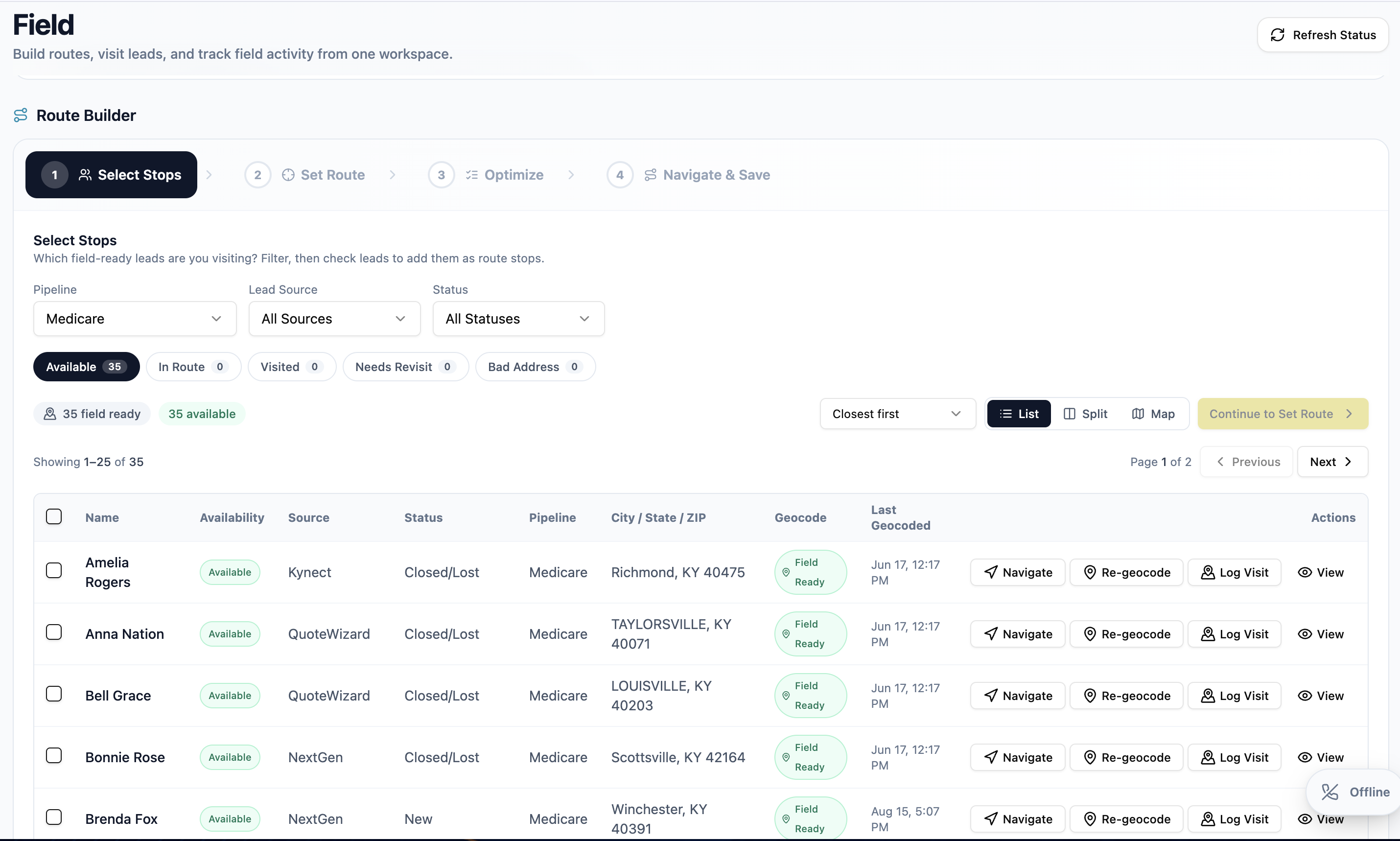
Two optional add-ons extend the platform: Field Work for agencies that sell in person, and the RingCentral add-on for calling. Integrations are a separate idea — connecting supported outside services, currently Google Calendar, Gmail, and Calendly, so work you already do elsewhere stays in step.
Product walkthrough
See AgencyCommand in action.
One pass through the platform: a lead worked to enrollment, the client it becomes, and what the agency sees once the activity is real.
AgencyCommand — Platform Overview
A broad walkthrough of the connected workflows, from the boards agents work to the reporting and configuration behind them.
Who it's for
For the work happening today. For the agency you're building around it.
Same platform, two vantage points — the person doing the work and the person running the agency are never looking at two different systems.
For the work happening today
An agent opens a focused workspace: the leads on their boards, the clients they serve, today's tasks and appointments, the learning assigned to them, and CommandAI beside the record they're actually looking at.
For the agency you're building around it
Agency Management sets the operating model and sees across every agent working inside it: products and commission rules, pipelines and the outreach rules the Work Queue follows, teams and reporting lines, campaigns and automations, and reporting on the whole book.
See it against the workflows your agency already runs.
Book a short walkthrough and we'll follow one of your own workflows end to end — how it's configured, how an agent works it, and what leadership sees afterward.